 InkYourDay




Features
Everything in your little garden
InkYourDay keeps journaling small: one line, one drawing, a minute a day. Here is everything it does, and nothing it doesn't.
One line a day
Just one line. That's enough.
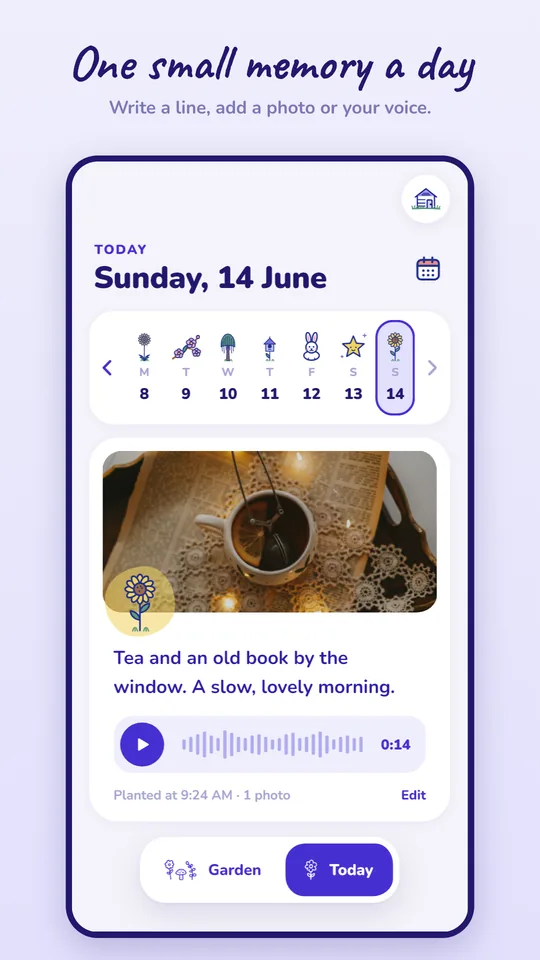
Write up to 200 characters about what made today worth remembering. Small enough to finish before bed, every night.
- Up to 200 characters. A small counter keeps count as you write.
- Plant it with a drawing you pick, or one you draw yourself.
- Missed a day? Go back and fill in any past day, whenever you remember.
- Change your mind? Edit any memory, any time.
A drawing for every day
A little drawing for every day
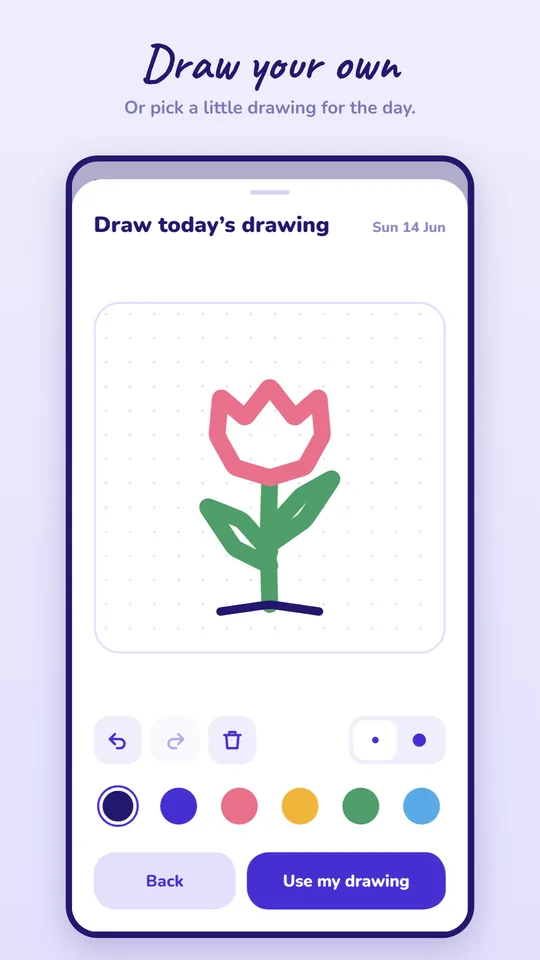
Every memory is planted with a little drawing: flowers, fruit, little creatures, weather and more. Every one of them is free.
- Pick the one that feels like today. A sunflower for a bright morning, a rain cloud for a grey one.
- The drawing is what grows in your garden, so a year of days becomes a year of little pictures.
- You'll see your drawings everywhere: in the garden, the calendar and the week strip.
- Or draw your own. With InkYourDay Plus, draw with your finger in six colours. Your drawings come back in the picker, ready to use again.




Moods & photos
Colour how the day felt
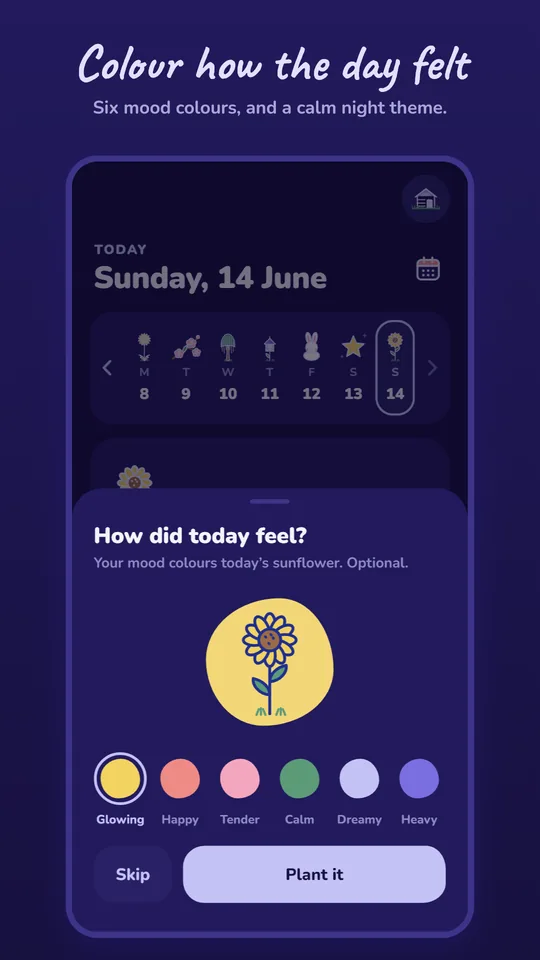
When you plant a memory, pick one of six mood colours. It becomes the soft blob behind the day's drawing.
- Glowing
- Happy
- Tender
- Calm
- Dreamy
- Heavy





- Always optional. Skip it for a day, or turn mood colours off in Settings, under Appearance.
- Up to 5 photos with each memory (InkYourDay Plus), from your gallery or the camera inside the app. A day can even be just photos.
- A voice note of up to a minute (InkYourDay Plus). The microphone is only used while you record, and the note stays on your phone.
- Photo details removed. Location and camera details are taken out of a photo when you add it.
Your year as a garden
Watch your year grow
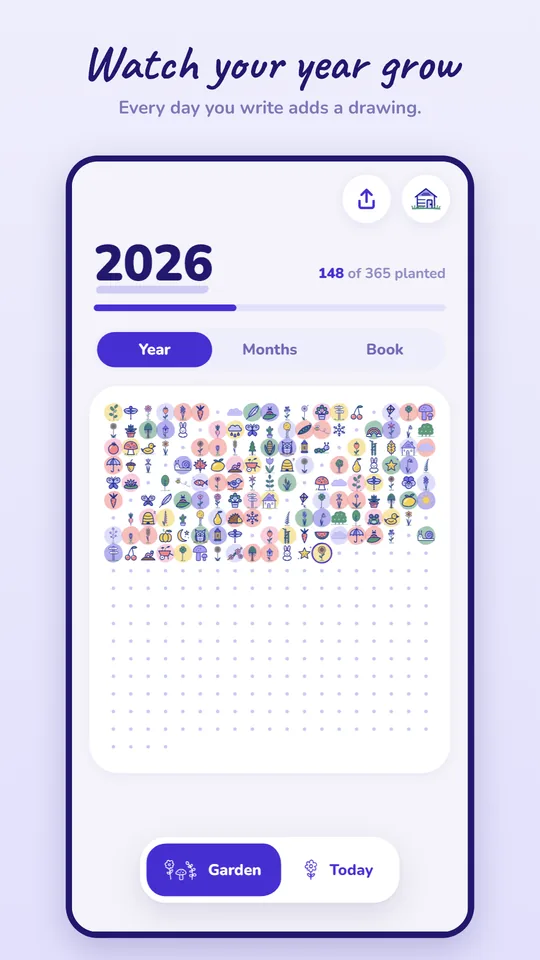
Every day with a memory shows its drawing. Days without one stay as quiet dots. No streaks to break, and no guilt.
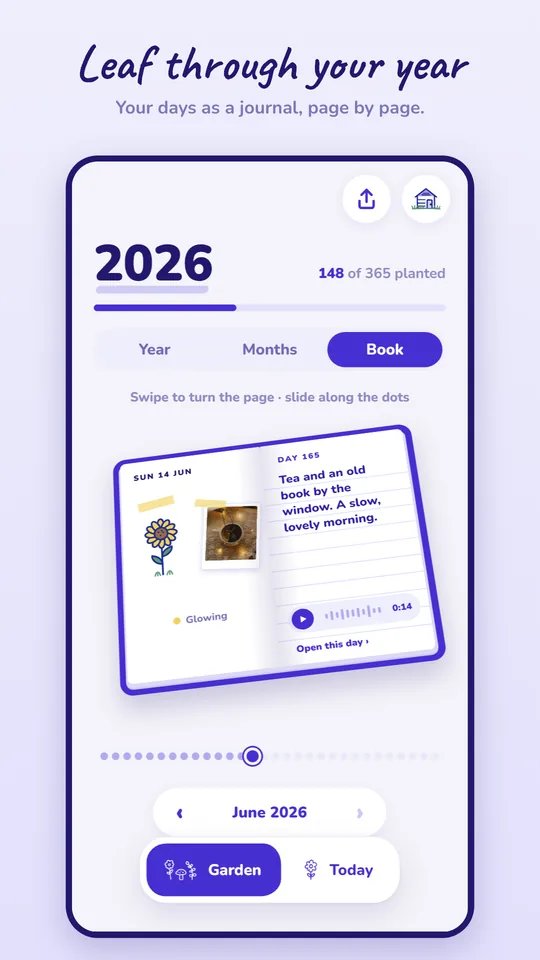
- Year, months or book. See the whole year at once, each month as its own bed, or leaf through your year as a journal book, one day to a page. Use the switch under the year, or pinch between year and months.
- Tap a day to peek at it, then swipe between days to read them one by one.
- Press and drag across the garden to find a day, and let go to open it.
- Past years stay. Tap the year to look back at the gardens of earlier years.
Look back
Any day, one tap away
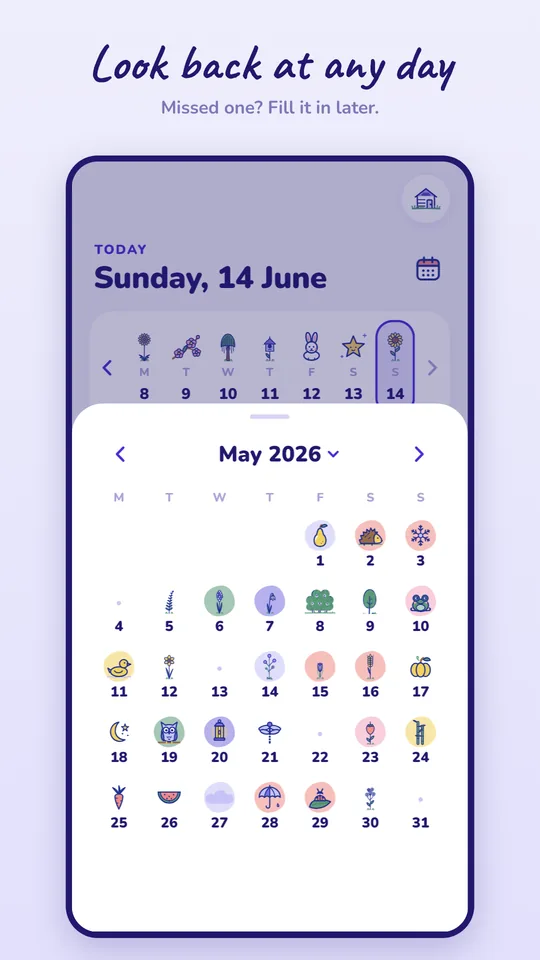
The Today screen has a week strip of little drawings, and a calendar for the whole month.
- The calendar shows each day's drawing on its mood colour, one month at a time.
- Tap any day to read it, or to write the memory you missed.
- Future days wait their turn. You can only plant days that have already happened.


A gentle reminder
A nudge, only if you want one
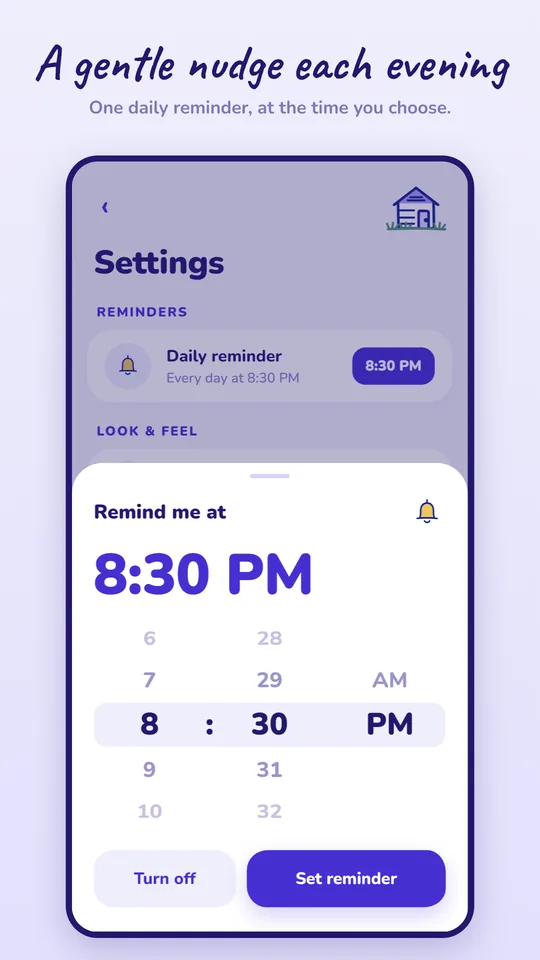
One daily reminder at the time you choose. It stays off until you turn it on.
- Your time. Turn it on in Settings and pick the hour and minute on a simple wheel.
- Never shows what you wrote. It simply asks: what made today worth remembering?
- Plant a memory or Later. One tap opens today's page; Later asks again in an hour.
- Already written today? Then there's no reminder that day.


Home-screen widgets
Your garden on your home screen
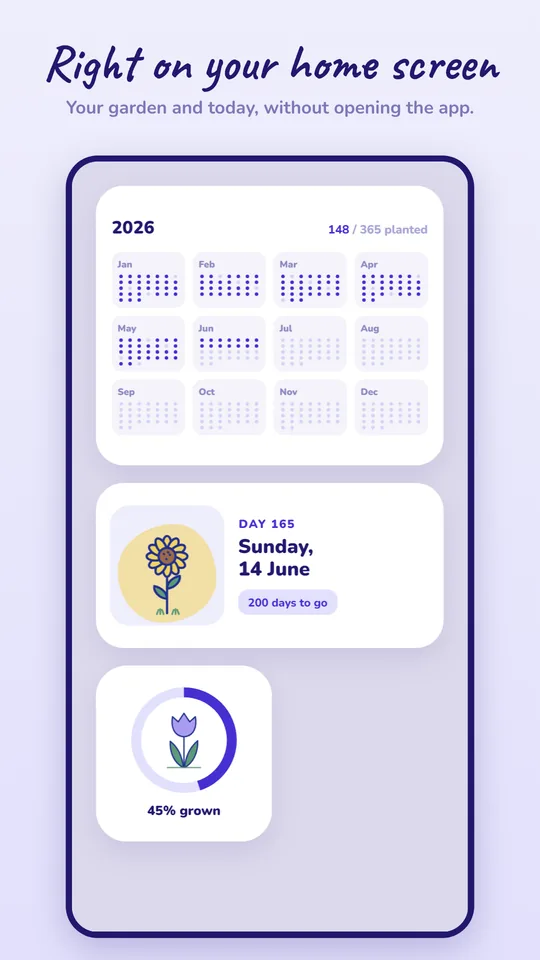
Four widgets to keep your year in sight. They never show your words or photos.
-
Year garden
Every day of the year as a dot, month by month. Planted days fill in.
-
Month garden
This month's days, with the drawing you picked for each, and today ringed.
-
Today
Today's drawing and the date (in the light theme), and how many days are left this year.
-
Progress
How far through the year you are: a growing ring in the light theme, days left in the night theme.


Make it yours
Light, night, and a handwritten touch
Settings has an Appearance sheet with a few small choices that make the journal feel like yours.
- Theme. Light, Night, or System to follow your phone.
- Memory font. Show your memories in a Rounded font or a Handwritten one. The rest of the app stays easy to read.
- Mood colours. Keep them, or turn them off for a calmer garden.
Private by design
Your memories stay on your phone
There is nothing to sign up for. Open the app and write.
- Stored on your phone. Your memories, photos and voice notes live on your device.
- No account, no sign-in, no ads. InkYourDay doesn't ask who you are.
- Photo details removed. Location and camera details are taken out of photos when you add them.
- Quiet everywhere else. The reminder and the widgets never show your words or photos.


Export & backup
Your garden, never locked in
Take a copy of your memories whenever you like, and let Android keep a backup in your own Google account.

Export any time
In Settings, tap Export to save every memory as a text file or a CSV file, or everything in one backup file, then send it wherever you like with Android's share menu: your files, your email, your Drive.
inkyourday-memories.txt
12 Jun 2026 · Rain all afternoon. Read by the window.13 Jun 2026 · First mango of the summer.14 Jun 2026 · Breakfast on the balcony. The jasmine finally flowered.
inkyourday-memories.csv
date,memory,drawing_id2026-06-14,Breakfast on the balcony…,sunflower
- One line per day in the text file; date, memory and drawing in the CSV, ready for a spreadsheet.
- The text and CSV files hold your words. Everything, with photos makes one backup file with your photos and voice notes too, which you can restore from.
- It works with or without InkYourDay Plus.
Backup to your Google account
Android backup to your own Google account is on by default, so your garden can come back automatically on a new phone.
- Your account, not ours. It uses Android's own backup to your Google account. There is no InkYourDay account, and no server of ours.
- Quietly in the background. Android usually backs up overnight while the phone is charging.
- Memories always, photos while they fit. Photos and voice notes are included up to about 20 MB in total, newest photos first; older ones stay only on your phone.
- Your choice. Turn it off any time in Settings, under Privacy & backup.
Good to know: without a backup, uninstalling the app deletes your garden. A backup file now and then keeps a copy safe, and the app reminds you once your garden grows.
Free & Plus
Free to write, for good
Writing, every drawing and nearly everything on this page are free. InkYourDay Plus, one payment once, adds photos, voice notes, your own drawings and the year video.
Free, for good
Write and edit every day, with every drawing, moods, your garden and the journal book, widgets, the reminder, export and backup.
InkYourDay Plus
Photos, voice notes, your own drawings and the year video. One payment through Google Play. Nothing renews.
It stays yours
A purchase from before is InkYourDay Plus. A monthly plan from before keeps working until you cancel it in Google Play.
Google Play shows the price for your country before you buy. Bought Plus before on another phone? Open Settings, tap InkYourDay Plus, then Restore.






Start your garden tonight
One line, one drawing, one minute. Free to write, for good.

Questions first? Read the FAQ or write to support@inkyourday.com.